> ## Documentation Index
> Fetch the complete documentation index at: https://discord-dependabot-npm-and-yarn-actions-core-3-0-1.mintlify.site/llms.txt
> Use this file to discover all available pages before exploring further.
# Game Friends Design Guidelines
> Design guidelines for displaying and managing game friends and Discord relationships.
Any in-game imagery used in is purely fictional for concept purposes.
## User needs
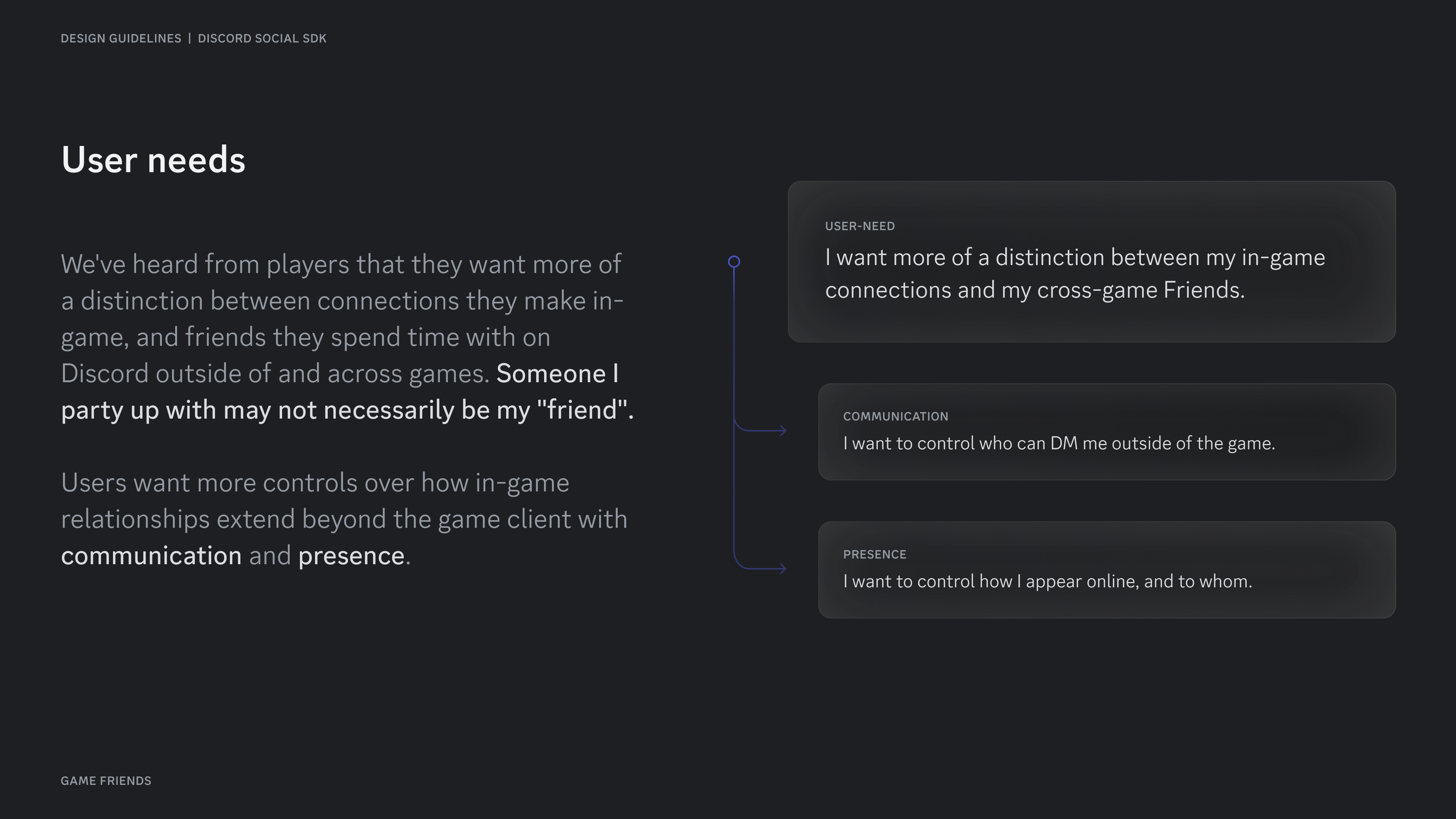
We've heard from players that they want more of a distinction between connections they make in-game, and friends they spend time with on Discord outside of and across games. Someone I party up with may not necessarily be my "friend".
Users want more controls over how in-game relationships extend beyond the game client with communication, presence, and identity.
 ## Game Friends — A new tier
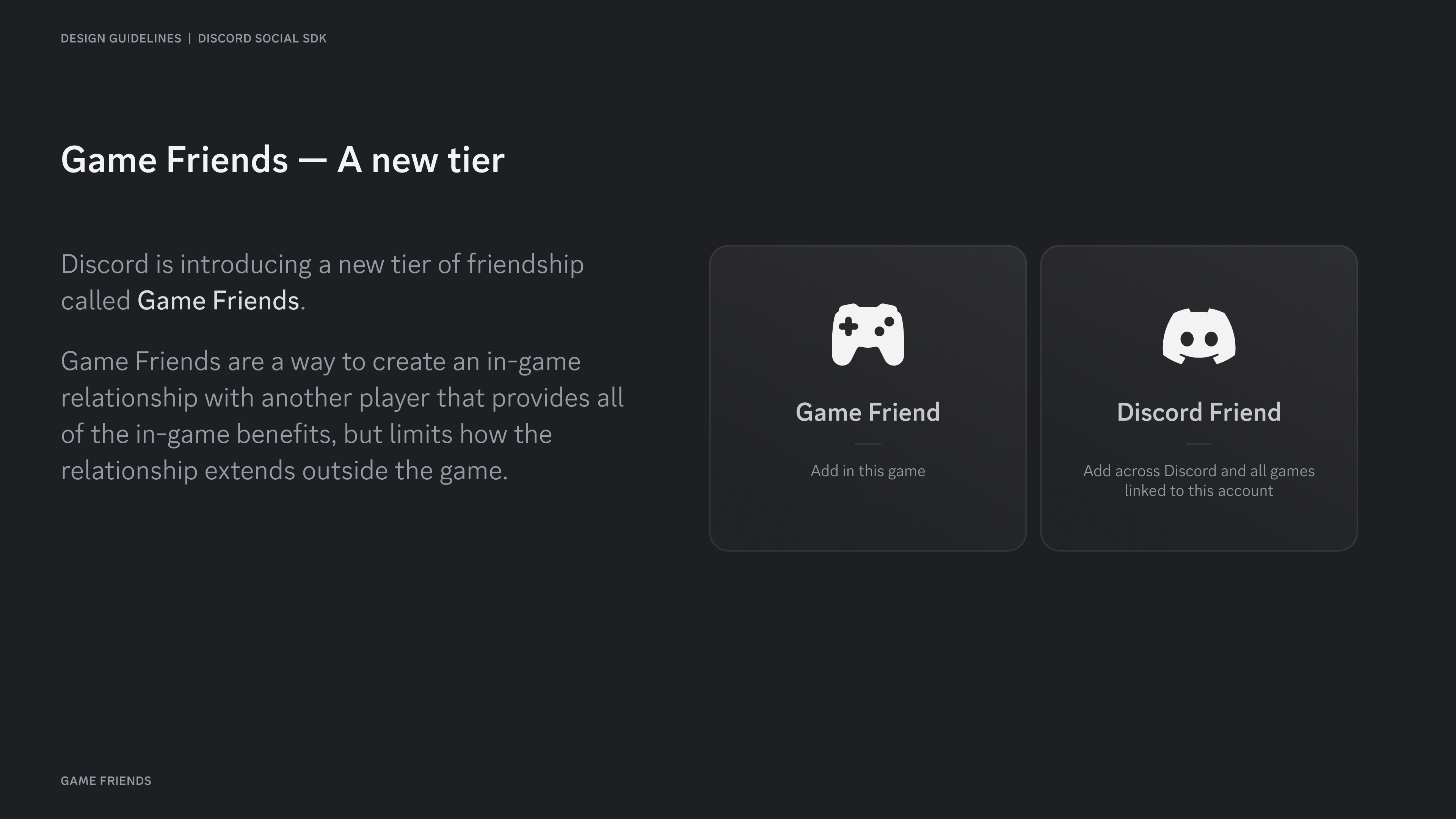
Discord is introducing a new tier of friendship called **Game Friends**.
Game Friends are a way to create an in-game relationship with another player that provides all of the in-game benefits, but limits how the relationship extends outside the game.
## Game Friends — A new tier
Discord is introducing a new tier of friendship called **Game Friends**.
Game Friends are a way to create an in-game relationship with another player that provides all of the in-game benefits, but limits how the relationship extends outside the game.
 ## Game vs Discord Friends
### Communication
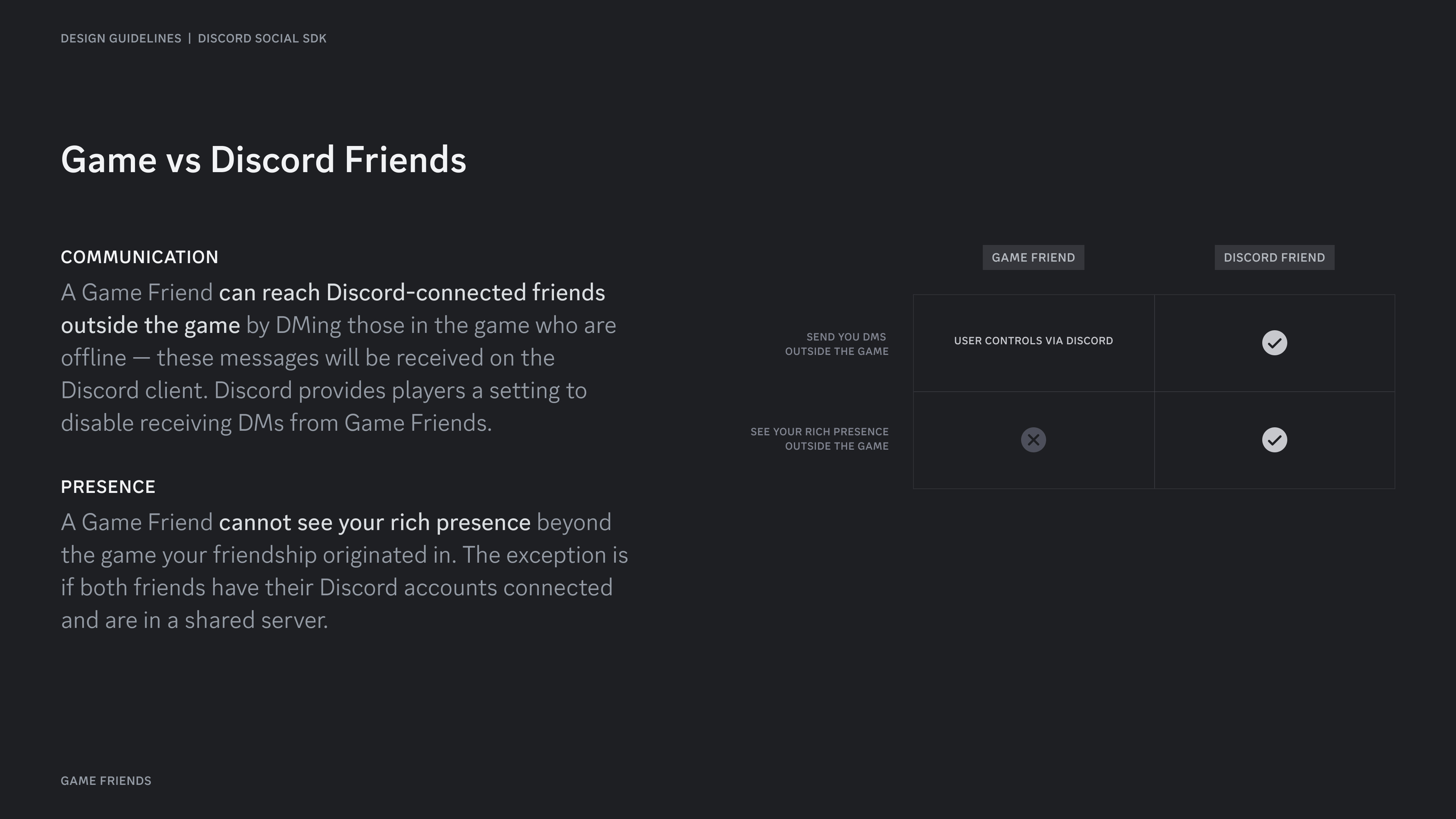
A Game Friend **can reach Discord-connected friends outside the game** by DMing those in the game who are offline — these messages will be received on the Discord client. Discord provides players a setting to disable receiving DMs from Game Friends.
### Presence
A Game Friend **cannot see your rich presence** beyond the game your friendship originated in. The exception is if both friends have their Discord accounts connected and are in a shared server.
## Game vs Discord Friends
### Communication
A Game Friend **can reach Discord-connected friends outside the game** by DMing those in the game who are offline — these messages will be received on the Discord client. Discord provides players a setting to disable receiving DMs from Game Friends.
### Presence
A Game Friend **cannot see your rich presence** beyond the game your friendship originated in. The exception is if both friends have their Discord accounts connected and are in a shared server.
 ## Equally-weighted
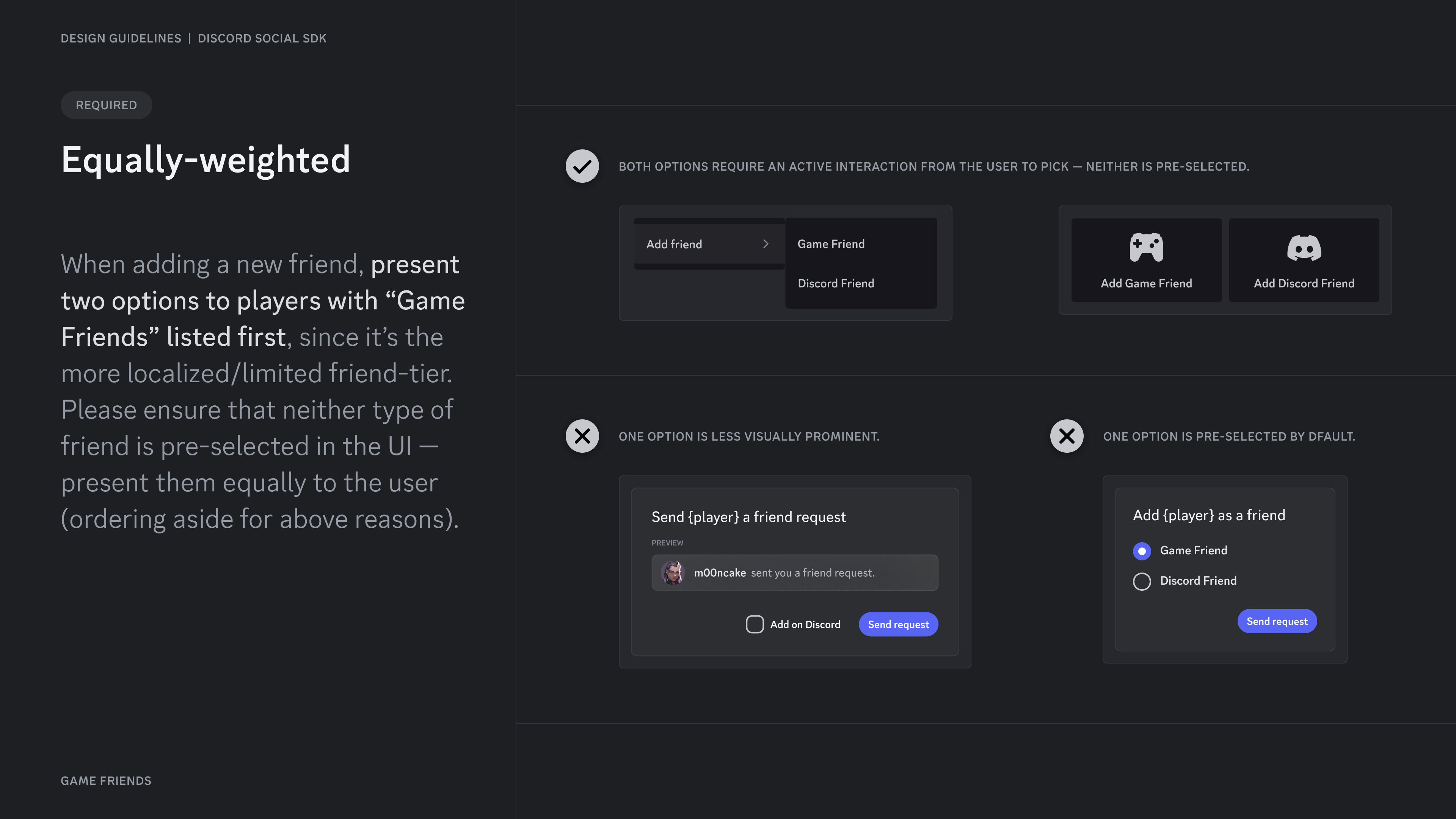
When adding a new friend, **present two options to players with "Game Friends" listed first**, since it's the more localized/limited friend-tier. Please ensure that neither type of friend is pre-selected in the UI — present them equally to the user (ordering aside for above reasons).
## Equally-weighted
When adding a new friend, **present two options to players with "Game Friends" listed first**, since it's the more localized/limited friend-tier. Please ensure that neither type of friend is pre-selected in the UI — present them equally to the user (ordering aside for above reasons).
 ## Adding friends
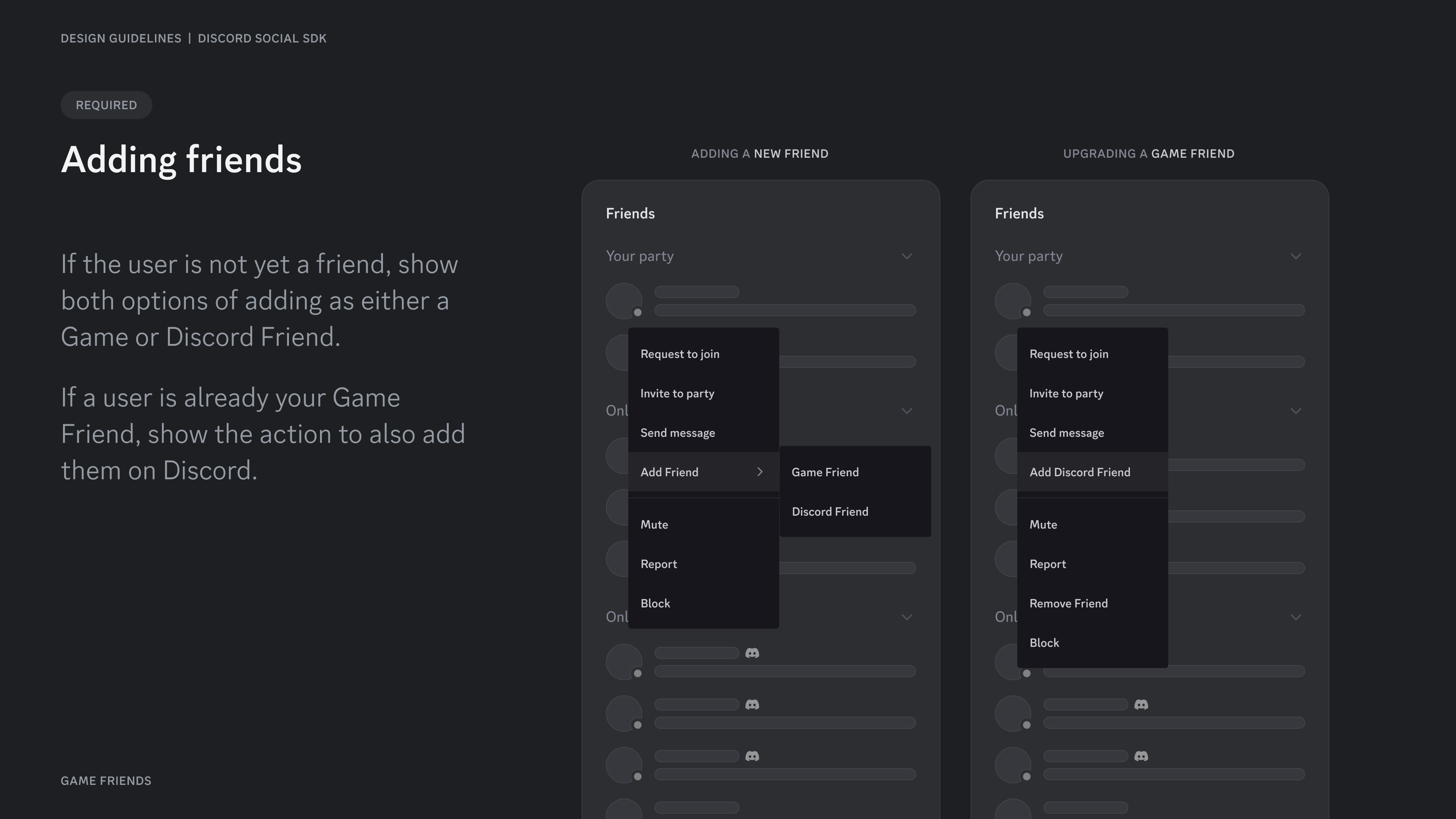
If the user is not yet a friend, show both options of adding as either a Game or Discord Friend.
If a user is already your Game Friend, show the action to also add them on Discord.
## Adding friends
If the user is not yet a friend, show both options of adding as either a Game or Discord Friend.
If a user is already your Game Friend, show the action to also add them on Discord.
 ## Removing friends
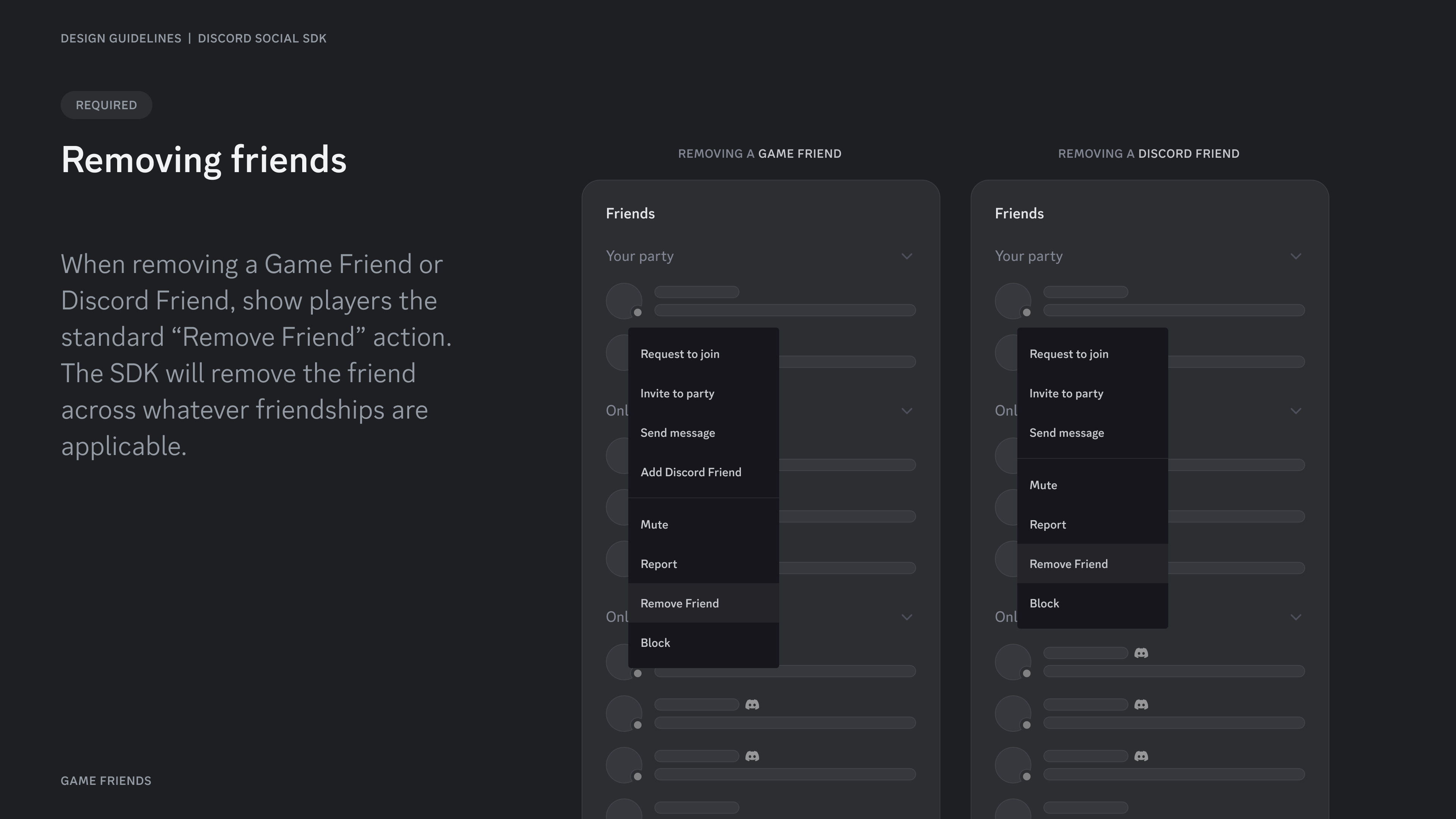
When removing a Game Friend or Discord Friend, show players the standard "Remove Friend" action. The SDK will remove the friend across whatever friendships are applicable.
## Removing friends
When removing a Game Friend or Discord Friend, show players the standard "Remove Friend" action. The SDK will remove the friend across whatever friendships are applicable.
 ## Style guidelines
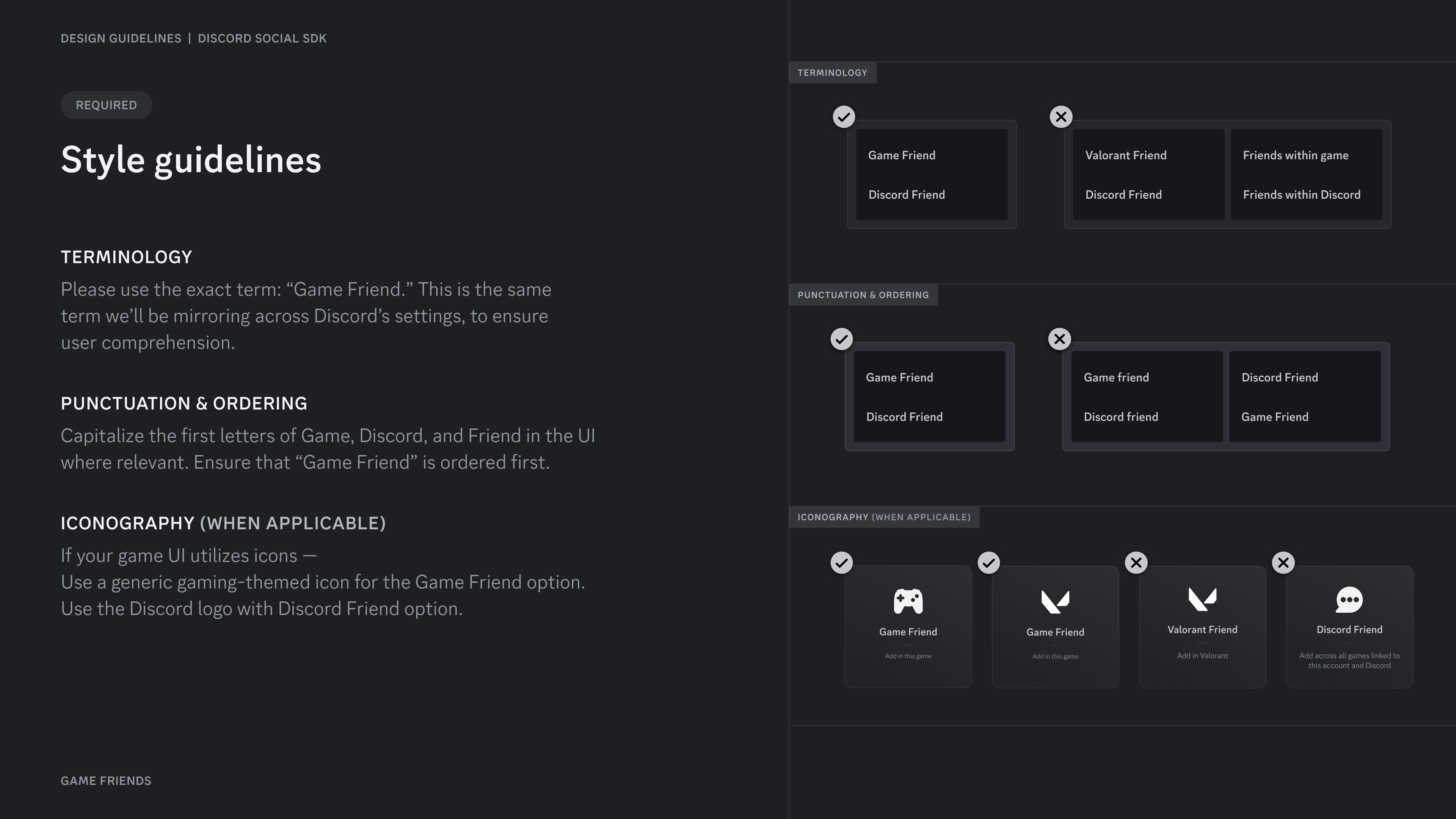
When removing a Game Friend or Discord Friend, show players the standard "Remove Friend" action. The SDK will remove the friend across whatever friendships are applicable.
## Style guidelines
When removing a Game Friend or Discord Friend, show players the standard "Remove Friend" action. The SDK will remove the friend across whatever friendships are applicable.
 ## UX, not UI
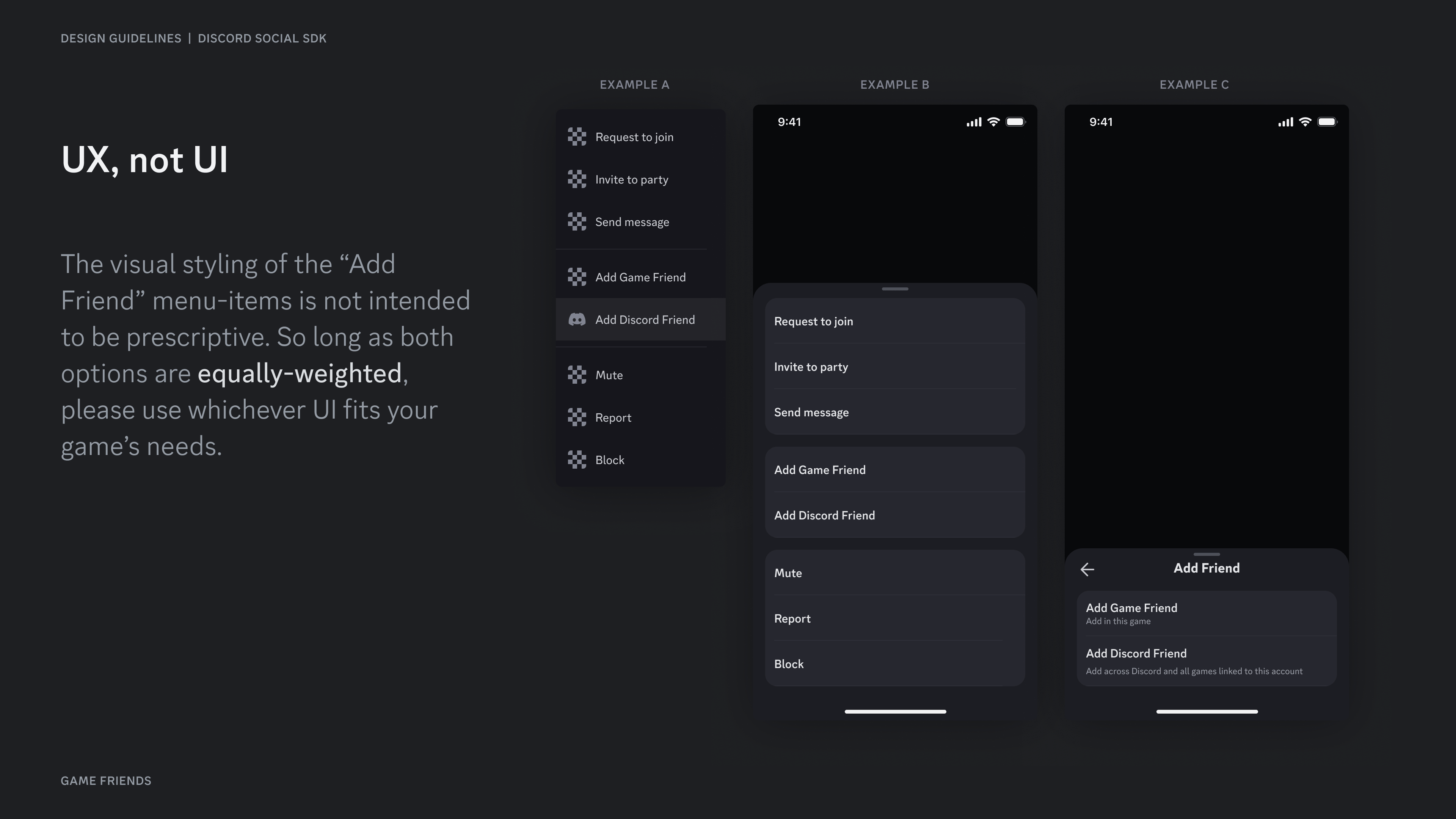
The visual styling of the "Add Friend" menu-items is not intended to be prescriptive. So long as both options are equally-weighted, please use whichever UI fits your game's needs.
## UX, not UI
The visual styling of the "Add Friend" menu-items is not intended to be prescriptive. So long as both options are equally-weighted, please use whichever UI fits your game's needs.
 ## Setting on Discord
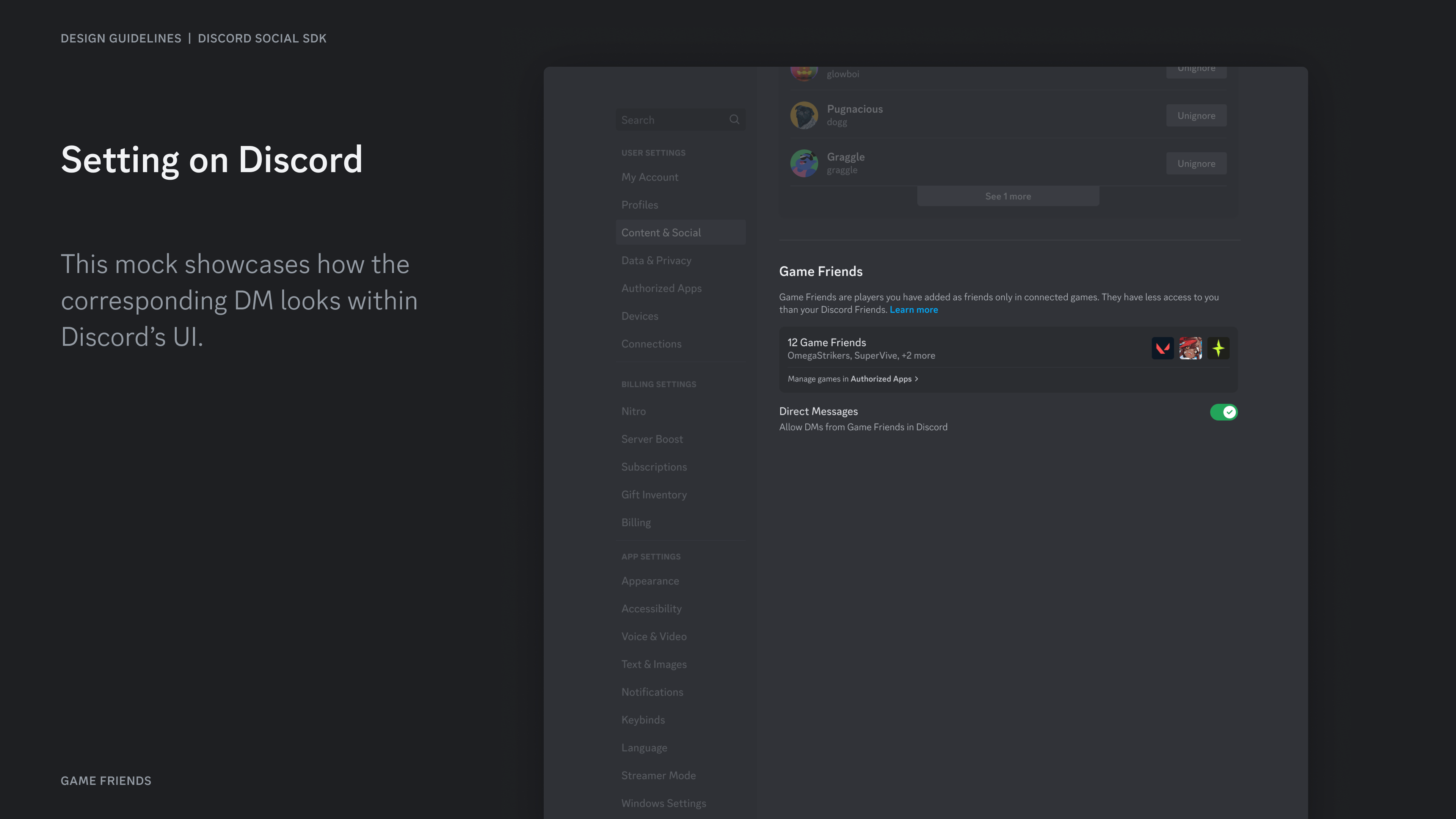
This mock showcases how the corresponding DM looks within Discord's UI.
## Setting on Discord
This mock showcases how the corresponding DM looks within Discord's UI.
 ***
## Resources
* [Development Guide: Managing Relationships](/developers/discord-social-sdk/development-guides/managing-relationships)
## Change Log
| Date | Changes |
| -------------- | --------------- |
| March 17, 2025 | initial release |
***
## Resources
* [Development Guide: Managing Relationships](/developers/discord-social-sdk/development-guides/managing-relationships)
## Change Log
| Date | Changes |
| -------------- | --------------- |
| March 17, 2025 | initial release |